
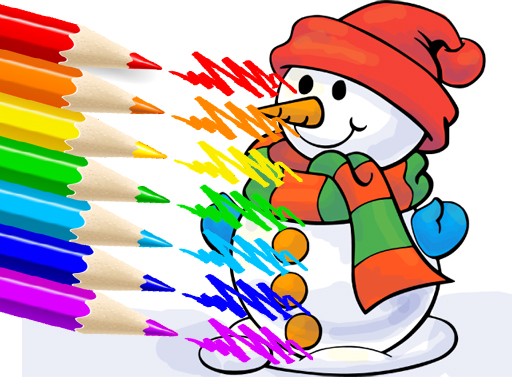
Winter Coloring Puzzle Game
What players say
Winter Coloring Puzzle Game does one thing clearly: it lets players fill winter-themed outlines with color in a browser, without downloads or accounts. The undo, redo, and zoom tools support careful work, and automatic saving makes short sessions practical. Its lack of timers and scores suits players who want a quiet activity rather than a challenge. The main limitation is variety: the available information describes a fixed gallery of winter images, so players seeking progression systems or competitive elements will not find them here.
About
A Winter Gallery to Color
Winter Coloring Puzzle Game presents a collection of winter-themed outlines. The gallery includes snowy landscapes, winter animals, and festive scenes. Each image is a line drawing waiting for color. The selection gives players a reason to return: one session might suit a quick snowman, another a detailed landscape. Because the game runs in a browser, there is nothing to install and no account to create. The gallery is the starting point for every session.
Filling Shapes with the Brush
After choosing an image, a brush tool appears. Players pick a color from the palette and tap or click an area to fill it. The color spreads instantly within the lines. Switching colors mid-image allows gradients or patterns. The undo button removes the last action, and redo restores it. A zoom control helps with small sections. Progress saves automatically, so an unfinished picture can be resumed later. When a picture is complete, it can be viewed and a new one started.
No Timers, No Scores
The game has no time limits and no scoring system. Nothing pressures the player to finish quickly. That design supports the relaxation tag: the activity is about choosing colors and watching shapes fill, not about beating a clock. Children and adults can use the same gallery because the controls are simple and the subject matter is mild. Mistakes are low-stakes because undo and redo are always available.
Approaches to Coloring
Beginners can start with simpler images to learn the brush and palette. More detailed pictures reward zooming in and working section by section. Trying unusual color combinations is part of the appeal, since each outline can be colored in multiple ways. The undo button makes experimentation safe. Because progress is saved, a picture can be built over several short visits rather than one long sitting.
Compatibility
FAQ
Comments
Sign in to comment
You must be logged in before posting a review or rating.
No comments yet. Be the first to comment!





Editorial Notes