
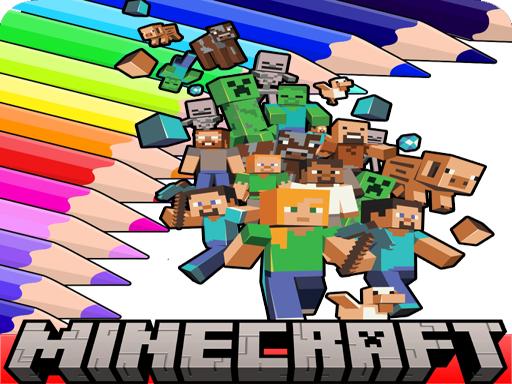
Block World Coloring Game
Published: 2026-10-01
Updated: 2026-10-01
What players say
Block World Coloring Game delivers exactly what its name suggests: a digital coloring book built around block-style imagery. Its strengths are the absence of timers, the zoom and brush size options for detailed work, and the ability to save or share finished pictures. It suits players who want a quiet creative task without competition or failure states. The main limitation is inherent to the format—there is no progression, scoring, or narrative to drive engagement beyond the act of coloring itself.
About
Coloring Block-Style Images
Block World Coloring Game presents a gallery of pictures built from simple, recognizable shapes and scenes inspired by a block-building universe. The core activity is straightforward: choose an image, pick a shade from the side palette, and click or tap any section to fill it. Because the artwork relies on block-style forms, color placement stays clear and manageable. The process encourages focus and offers a calm, creative outlet suitable for younger and older players alike.Tools for Detailed Work
Two tools support precision. The zoom function lets you magnify small areas so you can color within tight boundaries, while adjustable brush size gives you control over how much area a single click covers. These options matter most on images with many small sections. On desktop or mobile, the interface remains easy to navigate, and there is no timer or score to pressure your pace. You can work at your own speed and change colors as often as you like.Saving and Sharing Artwork
When a picture is finished, you can save your work or share it with others. That makes the activity more than a momentary distraction—it produces a personalized piece you can keep or send. The absence of time limits means the experience stays stress-free, whether you complete an image in one sitting or return to it later. The game also supports color recognition and fine motor skills through repeated selection and placement.Who It Suits
This is a family-friendly way to unwind and express creativity. It works well for anyone who wants a low-pressure creative task, including younger players developing coordination and older players looking for a quiet break. The straightforward controls and lack of failure states make it accessible across skill levels. If you prefer guided challenges or competitive goals, this activity offers none—its value lies in open-ended coloring and the freedom to produce personalized artwork.Compatibility
💻 Desktop | 📱 Mobile | 📟 Tablet
– All supported · Best with Chrome or Safari
FAQ
Is Block World Coloring Game free to play?
The provided information does not mention pricing or payment requirements. It describes an online coloring activity with no time limits and the ability to save or share artwork. For specific cost details, check the platform where you access the game, as pricing can vary by host site.
Can I play Block World Coloring Game on a phone or tablet?
Yes. The controls are described as working well on both desktop and mobile devices. You click or tap to fill sections, and the zoom and brush size tools remain available on touchscreens. No special hardware is required beyond a standard browser and a pointing or touch input.
Does Block World Coloring Game have a timer or scoring system?
No. The activity has no time constraints, so you can color at your own speed without pressure. There is also no mention of scores, stars, or competitive ranking. The focus is on relaxation and creative expression rather than performance metrics or completion deadlines.
Can I save my finished coloring page?
Yes. When you finish an image, you can save your artwork or share it with others. The exact save format and sharing options depend on the platform hosting the game. The feature is intended to let you keep or show off your personalized coloring work.
What kind of pictures can I color in Block World Coloring Game?
The gallery features block-style images with simple, recognizable shapes and scenes inspired by a popular block-building universe. The artwork is designed for easy section-by-section coloring. Specific themes or characters are not detailed in the source, but the overall style remains consistent across the collection.
Is Block World Coloring Game suitable for young children?
The activity is described as suitable for all ages and skill levels, including younger and older audiences. It is a safe, family-friendly way to unwind. The simple controls and lack of time limits make it accessible for children, though adult supervision is always reasonable for any online activity.
Comments
Sign in to comment
You must be logged in before posting a review or rating.
No comments yet. Be the first to comment!



Editorial Notes