
Academy Command: Idle Tactics
What players say
Academy Command: Idle Tactics combines incremental resource growth with periodic competitions against rival schools. The upgrade tree forces meaningful trade-offs between immediate income and long-term student performance, while mouse-only controls keep it accessible. Pixel art and a clean interface support the strategy rather than distract from it. Players who enjoy planning, idle progression, and short check-in sessions will find the most value here; those seeking fast action or complex simulation depth may want more.
About
From Single Classroom to Rival-Beating Academy
Academy Command: Idle Tactics begins with one classroom and a small group of students. Your objective is to attract and train more students while outperforming competing academies. Resources accumulate even when you are not actively playing, so returning after a break usually means having enough to spend on the next improvement. That idle income is the baseline; active challenges are where you push your academy forward.
Upgrade Decisions That Shape Your School
Upgrades are the main progression path. You can improve student training efficiency, raise resource generation rates, and unlock new capabilities. Some upgrades provide steady passive bonuses, while others demand active engagement to pay off. The tension between short-term income and long-term performance matters: a new training module might lower immediate earnings but produce stronger students for future competitions. Because each purchase builds on the last, the upgrade tree encourages you to commit to a playstyle rather than spread resources evenly.
Competitive Challenges and Escalating Difficulty
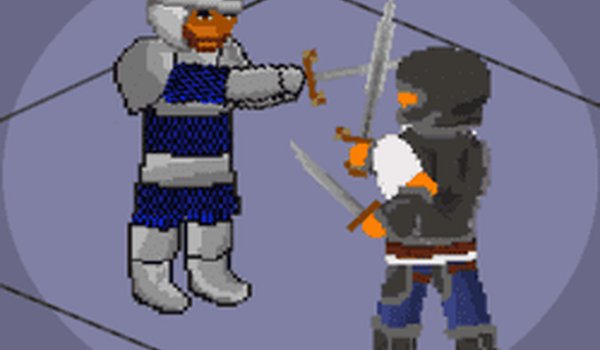
Periodic contests pit your students against rival academies, testing both their abilities and your planning. Victories grant rewards and raise your reputation, which in turn attracts more talented students. The challenge system grows harder over time, so training methods and resource allocation need to adapt. Wins also unlock new features and upgrades, adding strategic depth beyond simple number growth. The pixel art style keeps these encounters readable and focused on decisions rather than spectacle.
Mouse-Only Controls and Flexible Sessions
Most actions are performed by clicking buttons, from starting training sessions to entering competitions. A few keyboard shortcuts exist for common tasks, but mouse-only play is fully viable. The interface presents resource counts, student progress, and upcoming events clearly. Sessions can be short or long: idle progression ensures steady advancement even for casual check-ins, while the strategic decisions still carry real consequences. This makes the game approachable for players who prefer planning over reflex-based play.
Compatibility
FAQ
Comments
Sign in to comment
You must be logged in before posting a review or rating.
No comments yet. Be the first to comment!









Editorial Notes