
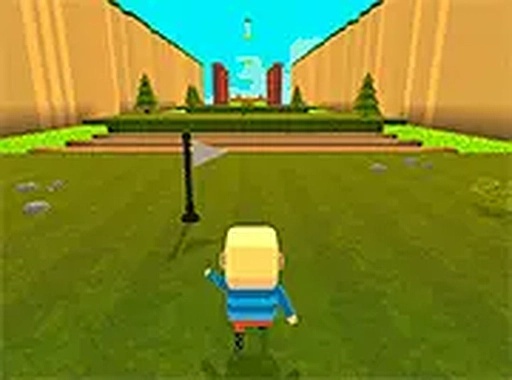
Blocky Leap: Platform Runner
What players say
Blocky Leap: Platform Runner focuses on a single skill: reading distance and timing jumps correctly. Early stages are forgiving, but moving platforms, rotating obstacles, and breakable surfaces gradually raise the demand for accuracy. The optional multiplayer mode lets friends take turns or race, which can help players learn from each other. Bright, simple visuals keep the path readable. The main limitation is that the game is optimized for desktop keyboards, so mobile players may find it less comfortable.
About
Jumping as the Core Skill
Every stage in Blocky Leap: Platform Runner asks the same basic question: how far is the next platform, and how much force does the jump need? You move with standard keyboard inputs and press a dedicated jump key, so the challenge comes from reading distance and committing at the right moment. Early gaps are wide and predictable. Later sections introduce moving surfaces and narrow ledges, where a slightly late or early press sends you off the path. The game rewards a consistent rhythm; rushing usually produces miscalculated jumps and falls.
Obstacles That Change the Timing
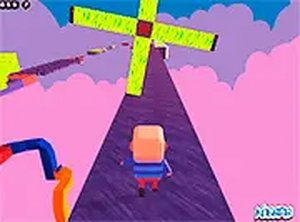
Obstacle variety is where the game shifts from simple distance judgment to active timing. Some obstacles rotate or shift position, so you have to wait for the correct window before crossing. Others break apart after being stepped on, which adds urgency to each move and removes the option of standing still. New elements appear gradually, letting newcomers build confidence before facing more complex arrangements. Because each set of stages mixes these hazards differently, the gameplay avoids becoming repetitive. Bright colors and simple shapes keep attention on the path ahead rather than on visual clutter.
Optional Shared Play
Blocky Leap includes a mode where multiple players can join the same session. Friends can tackle stages together by taking turns or by competing to finish a level first. Difficult sections become more manageable when players watch each other's strategies and learn from different approaches. The core challenge stays the same, but the social element can increase motivation. This mode is optional, so solo players can complete the game without interruption.
Browser Setup and Progress
The game runs entirely in a web browser, with no downloads or installations. It is optimized for desktop computers and supports a full-screen display for a more focused view. Controls are straightforward, so anyone can start playing immediately. Progress saves automatically, letting returning players continue from their last completed stage. Because it is browser-based, the game can be accessed from different devices without losing saved data, as long as the same account or session is used.
Compatibility
FAQ
Comments
Sign in to comment
You must be logged in before posting a review or rating.
No comments yet. Be the first to comment!



Editorial Notes