Public Transport Vehicles Coloring Game
Review
Public Transport Vehicles Difference Coloring Game Online provides a straightforward coloring experience with eight distinct vehicle images. The 23-color palette offers enough variety for creative expression, and the speed-based scoring adds a gentle challenge. The ability to save artwork is a nice touch for sharing or keeping memories. The game is easy to navigate, making it suitable for young children. While the concept is simple, the focus on public transport vehicles sets it apart from generic coloring games. It offers good replay value as kids try to improve their scores or experiment with different color schemes.
About This Game
Game Introduction
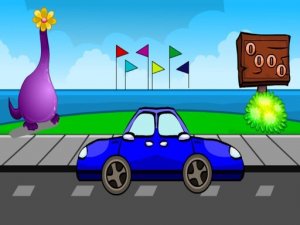
Public Transport Vehicles Difference Coloring Game Online is a free, browser-based activity where children and families can color eight unique pictures of public transport vehicles. Each image shows a different vehicle, such as a bus, train, or tram. Players use a palette of 23 vibrant colors to fill in the sections of each picture. The goal is to complete the coloring as quickly as possible to earn a high score. The game also allows players to save their finished artwork to their device. It is designed to be safe, intuitive, and engaging for young users, with no downloads or registrations required.
How to Play
To play, start by selecting one of the eight available pictures. Look at the color palette on the side of the screen. Click or tap a color to select it, then click or tap on the area of the picture you want to fill. Work quickly to finish the entire image, as your speed influences your final score. If you make a mistake, you can undo your last action and try a different color. Once the picture is fully colored, you can save it to your device. The game controls are simple and responsive, making it easy for children to play independently.
Game Features
Eight unique pictures of public transport vehicles. Palette of 23 different colors to choose from. Scoring system that rewards speed. Save function to keep your colored images. Kid-friendly design with no ads or inappropriate content. No downloads or registration needed.
Tips for Success
To achieve a high score, practice coloring quickly without sacrificing accuracy. Familiarize yourself with the color palette to reduce time spent searching for the right shade. Use the undo feature if you make a mistake, but try to avoid errors to maintain your speed. Coloring the largest areas first can help you complete the picture faster. Regular practice will improve your speed and color recognition skills.