Parking Challenge Simulator

Parking Challenge Simulator

Developer: Killer Core Studios
Published: 2024-07-04
Updated: 2026-07-04
| Driving , Parking , Simulation

Review

Parking Challenge Simulator offers a satisfying driving puzzle experience. The controls are responsive, and the levels gradually increase in difficulty, keeping the gameplay engaging. The three-star rating system adds replay value. The game runs smoothly on both desktop and mobile browsers without any downloads. It is a perfect choice for players who enjoy precision driving challenges in a casual setting.

About This Game

Game Introduction

Parking Challenge Simulator is a driving simulation game that puts you in control of a vehicle. The core objective is to navigate through various levels and park your vehicle in designated spots with precision. The game tests your driving skills in a themed environment, offering a fun and engaging experience for players who enjoy parking puzzles and obstacle courses. It is designed to be accessible on both desktop and mobile devices, allowing you to start playing immediately without any downloads. The game provides a series of challenges that require careful maneuvering and spatial awareness. Each level presents a unique layout with obstacles that must be avoided to successfully park the vehicle. The game is suitable for players of all ages who enjoy casual driving puzzles and want to improve their parking abilities. With its straightforward design, the game focuses on the core mechanics of steering, reversing, and aligning the vehicle within the marked parking area. The game rewards patience and precision, making it a relaxing yet mentally engaging activity. Players can expect a gradual increase in difficulty as they progress, with more complex parking scenarios and tighter spaces to navigate.

How to Play

Players typically control their vehicle using keyboard arrow keys or on-screen controls, depending on the device. The goal is to carefully maneuver around obstacles and park in the designated parking spots. Each level may have a star rating system that reflects your performance, such as avoiding collisions and completing the course efficiently. The game is easy to pick up but likely increases in difficulty as you progress, challenging your precision and driving skills. To start, select a level from the menu. Use the controls to move the vehicle forward, backward, and steer left or right. The parking spot is usually marked with a colored area or lines. Approach the spot slowly and align the vehicle before moving into it. The game provides visual feedback when the vehicle is correctly parked. Players can retry a level as many times as needed to achieve a better score.

Game Features

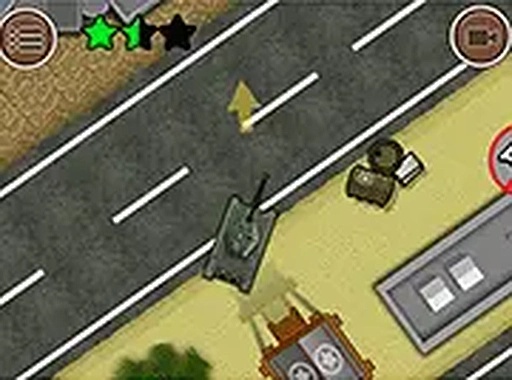
The game features fun 2D graphics and multiple levels to complete. It includes a three-star rating system to encourage skillful play. The game is mobile-friendly and requires no downloads, making it accessible directly in a web browser. As a simulation game, it focuses on realistic parking challenges within a themed setting. The controls are responsive and designed for both keyboard and touch input. The game offers a clear visual layout that helps players judge distances and angles. Each level is designed to test different parking maneuvers, such as parallel parking or reversing into a spot. The game provides a satisfying sense of accomplishment when a level is completed with a perfect score.

Tips for Success

To achieve high star ratings, practice precise control of your vehicle and learn the layout of each level. Take your time to plan your route around obstacles before moving. Avoiding collisions is key to earning a perfect score. Regular practice will help you improve your driving skills and complete levels more efficiently. Use gentle movements to avoid overshooting the parking spot. If you get stuck, try a different approach or watch the replay to see where you can improve.

Compatibility

▸ Desktop: Chrome / Edge / Firefox / Safari
▸ Mobile: iOS Safari / Android Chrome
▸ Tablet: iPadOS Safari / Android Tablet Browser
Keep your browser updated for the best experience

Faq

Is Parking Challenge Simulator free to play?
Yes, Parking Challenge Simulator is completely free to play. You can access it directly in your web browser without any downloads or payments. There are no hidden fees or in-app purchases required to enjoy all levels.
Can I play Parking Challenge Simulator on my phone?
Yes, the game is designed to be mobile-friendly. You can play it on smartphones and tablets using touch controls. The interface adapts to smaller screens, making it easy to steer and park your vehicle on the go.
What happens if I hit an obstacle in the game?
If you hit an obstacle, the level may restart or you may receive a penalty that affects your star rating. To earn the highest score, you need to complete the level without any collisions. The game encourages careful driving.
How many levels are there in Parking Challenge Simulator?
The game includes multiple levels that increase in difficulty. While the exact number is not specified, players can expect a variety of parking scenarios that test different skills. New levels may be added over time.
Do I need to create an account to play?
No, you do not need to create an account or provide any personal information. The game is designed for instant play. Simply open the webpage and start playing immediately. Your progress may be saved locally on your device.
Can I change the controls in the game?
The game typically uses standard keyboard arrow keys or on-screen buttons. Some versions may offer control customization, but the default settings are optimized for easy use. Check the settings menu within the game for options.