Letter Dash Typing Arcade
Review
Letter Dash is a well-designed typing game that focuses on core skills. The progressive difficulty keeps the challenge fresh, and the family-friendly design makes it suitable for all ages. It offers good replayability as you aim to beat your high score. A solid choice for anyone wanting to improve typing speed in a fun way.
About This Game
Game Introduction
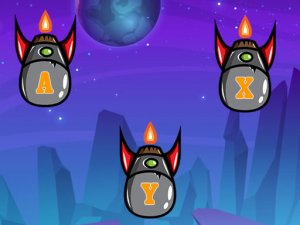
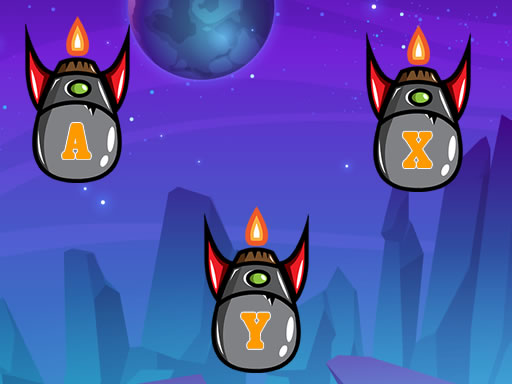
Letter Dash Typing Game Arcade Game is an engaging typing challenge that tests your speed and precision. Players see letters falling from the top of the screen and must type them on their keyboard to destroy them before they reach the bottom. The game starts easy but quickly becomes more challenging as the falling letters speed up or appear in more complex patterns. This game is perfect for anyone looking to improve their typing skills in a fun and interactive way. Suitable for all ages, Letter Dash offers a safe and family-friendly environment where players can practice their keyboarding abilities without any inappropriate content.
How to Play
To play Letter Dash, simply watch the falling letters and type the corresponding key on your keyboard as quickly as possible. Each correct letter typed destroys the falling letter, preventing it from reaching the bottom. If letters pile up and touch the bottom, the game ends. The key is to type accurately and swiftly. As you progress, the game increases in speed or introduces more challenging letter sequences, making it harder to keep up. Stay focused and try to achieve the highest score by clearing as many letters as you can.
Game Features
Fast-paced typing challenge. Progressive difficulty levels. Family-friendly content. Improves typing speed and accuracy. Simple controls for all ages.
Tips for Success
Practice regularly to build muscle memory for the keyboard. Focus on accuracy first, then speed. Keep your eyes on the screen, not the keyboard. Stay calm as the speed increases. Try to type each letter cleanly rather than rushing. Taking short breaks can help maintain concentration during longer sessions.