
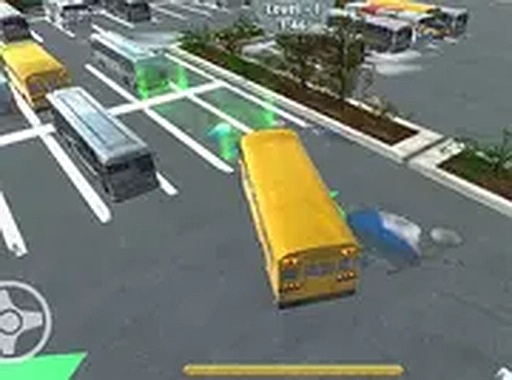
Coach Parking Challenge
What players say
Coach Parking Challenge appeals to players who enjoy methodical driving challenges rather than high-speed action. The game emphasizes careful steering, speed control, and spatial awareness. Its progression system, tied to points and vehicle unlocks, adds a sense of purpose to each parking task. The leaderboard and achievements extend replayability. However, the experience is limited to desktop and lacks multiplayer, which may narrow its audience. Overall, it is a solid choice for fans of precision parking simulators.
About
Core Parking Mechanics
Coach Parking Challenge places you behind the wheel of a large passenger vehicle. Your objective is to guide the coach into a designated parking area without touching walls, cones, or other cars. Success depends on smooth steering and careful speed control. Each parking spot is marked clearly, and the game tracks how precisely you align the vehicle. Any contact with obstacles reduces your final score, so patience and planning are essential.
Course Layout and Obstacles
The game presents a series of parking lots, each with a unique arrangement of barriers. You might encounter narrow lanes, tight corners, or spaces surrounded by other vehicles. The layouts become more complex as you advance, requiring you to reverse and adjust your angle multiple times. Some courses include moving elements that add an extra layer of challenge. Surveying the area before moving helps you plan your approach.
Vehicle Care and Customization
Before attempting a parking task, you have the option to wash your coach. A clean vehicle can earn bonus points upon successful parking. Points accumulated from each level can be spent in an in-game shop to acquire different coach models. Each model may handle slightly differently, offering variety in your driving experience. The shop provides a simple way to personalize your fleet.
Progress Tracking and Rewards
Your performance is recorded on a leaderboard, allowing you to compare scores with other players. The game also includes a set of achievements that recognize milestones such as completing a level without any scratches or parking with perfect alignment. These rewards encourage you to revisit earlier courses and improve your technique. The combination of leaderboards and achievements adds a layer of replayability beyond simply finishing each level.
Controls and Display Options
Coach Parking Challenge is designed for desktop computers. You can control the coach using either keyboard keys or a mouse. The interface is straightforward, with on-screen indicators showing your speed and steering angle. A full-screen mode is available to provide a more immersive view of the parking area. This mode helps you see obstacles more clearly and judge distances accurately.
Compatibility
FAQ
Comments
Sign in to comment
You must be logged in before posting a review or rating.
No comments yet. Be the first to comment!








Editorial Notes